TRAINAI RECIPE · BREAKFAST
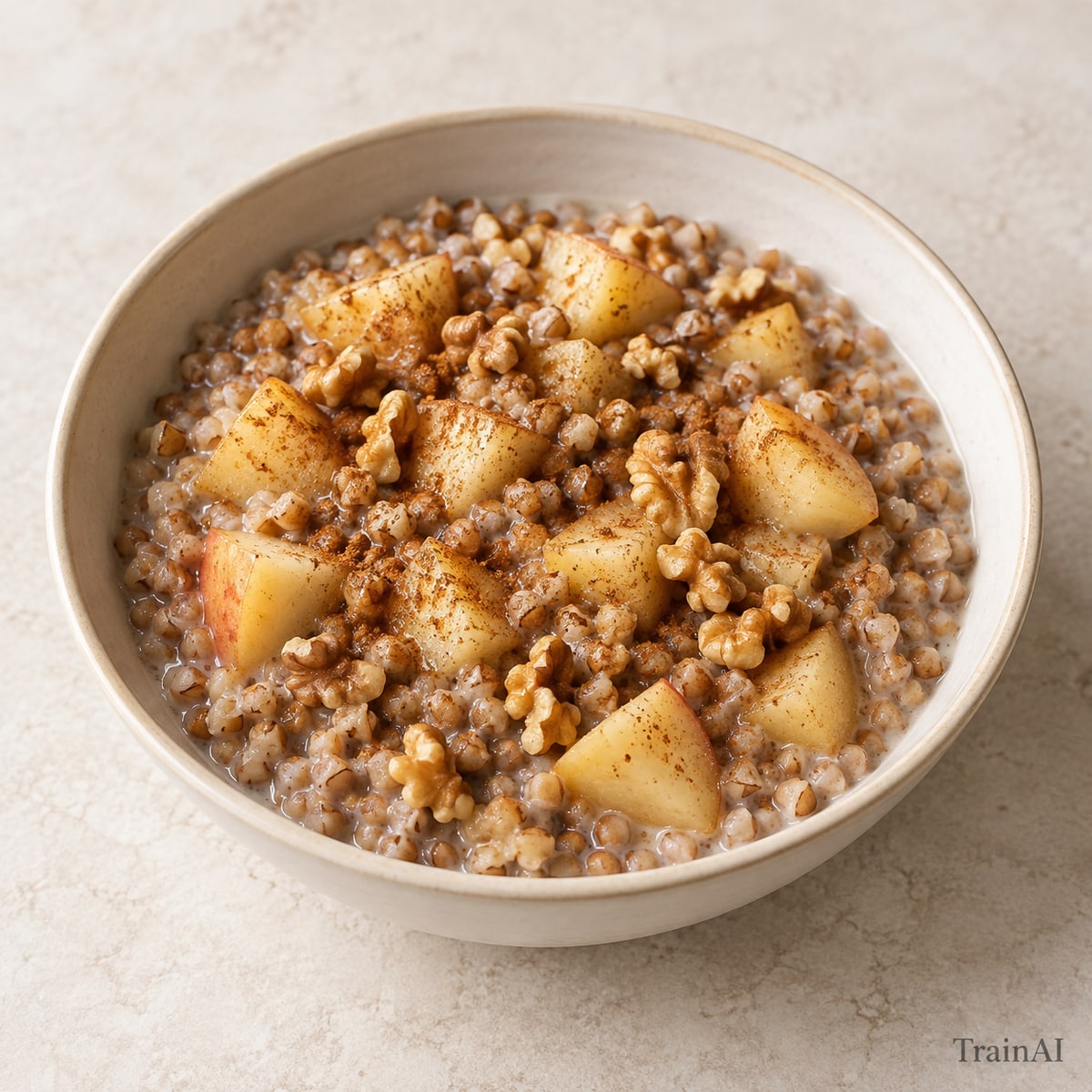
Apple Buckwheat Breakfast Porridge
Dice the apple small so it softens with the groats.
- Prep
- 5 min
- Cook
- 20 min
- Recipe yield
- 1 serving
Estimated nutrition per serving
432 kcal17.5 g protein66.2 g carbohydrate14.6 g fat11.7 g fiber
Nutrition is an estimate per serving, calculated from the listed ingredient weights. Brands and cooking yield vary. Check product labels for allergens and cross-contact.
Ingredients
For the full recipe: 1 serving. Weigh grains and proteins in the raw or cooked state listed.
- 60 g buckwheat groats, dry
- 250 g unsweetened fortified soy beverage
- 100 g water
- 120 g apple, cored
- 12 g walnuts
- 1 g ground cinnamon
Ingredient notes
Vegan ingredients.
Contains: soy, tree nuts. Check labels and preparation surfaces; this is not a cross-contact guarantee.
How to make it
- Rinse the dry groats or millet. Put the grain and measured milk or soy beverage and water in a small saucepan.
- Bring to a gentle simmer, partially cover and cook over low heat for 20–25 minutes, stirring occasionally, until tender. Add a splash of water if the pan dries out.
- Core and dice the fruit. Stir it in for the final 5 minutes with the cinnamon.
- Spoon into a bowl. Add the listed nuts or seeds and, if listed, the yogurt after cooking.
- Divide the finished recipe into the stated number of equal servings. All listed ingredients are included in the nutrition estimate.
Storage and leftovers
Refrigerate promptly in a covered shallow container within 2 hours (1 hour above 32°C / 90°F). Keep at 4°C / 40°F or colder and use within 3 days. Reheat cooked leftovers to 74°C / 165°F. Keep fresh salad toppings separate.
Temperature guidance: FoodSafety.gov.