TRAINAI RECIPE · BREAKFAST
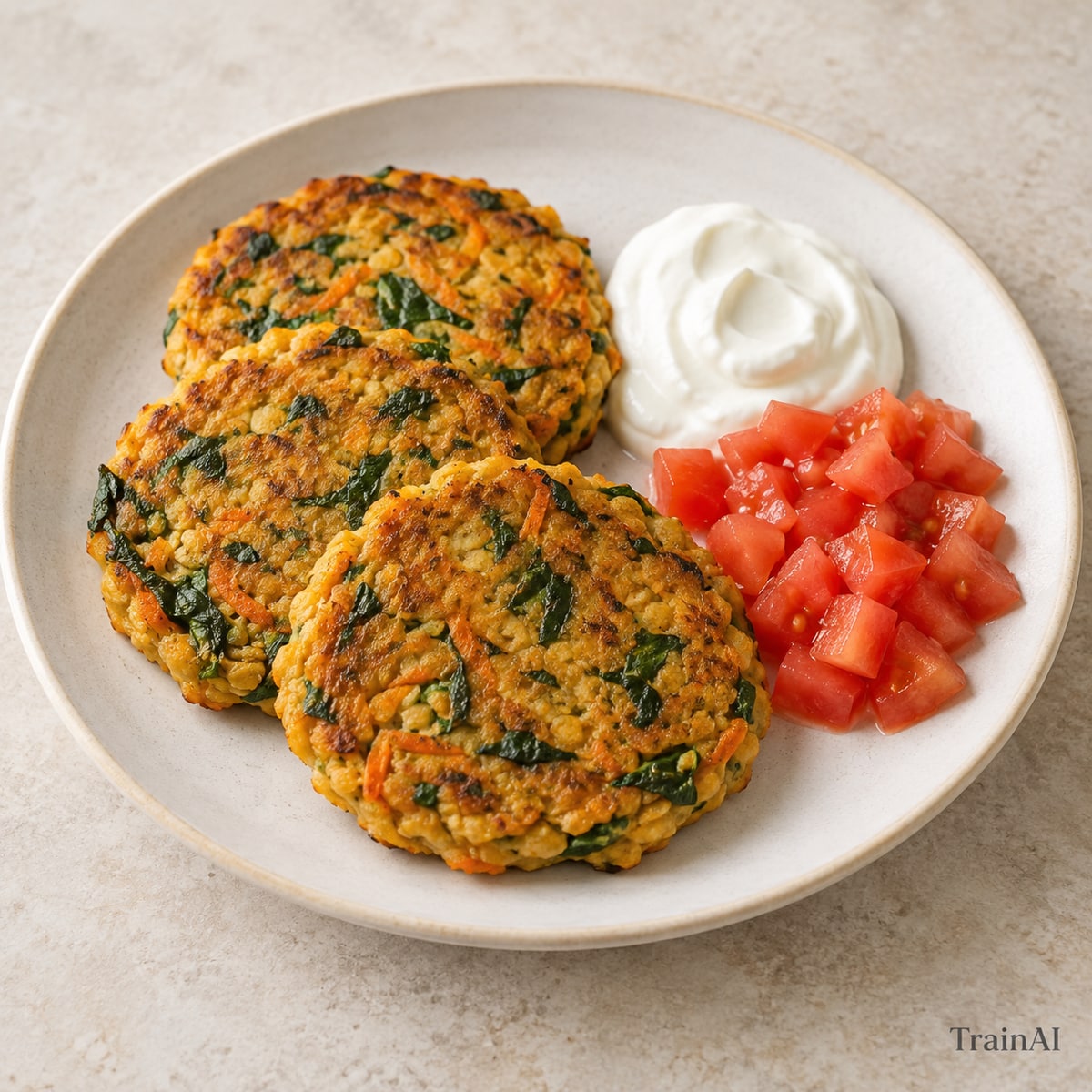
Red Lentil Savory Pancakes
Soak the lentils in the refrigerator for 4 hours before blending; soaking time is additional.
- Prep
- 10 min
- Cook
- 15 min
- Soak or chill
- 240 min
- Recipe yield
- 1 serving
Estimated nutrition per serving
Nutrition is an estimate per serving, calculated from the listed ingredient weights. Brands and cooking yield vary. Check product labels for allergens and cross-contact.
Ingredients
For the full recipe: 1 serving. Weigh grains and proteins in the raw or cooked state listed.
- 80 g red lentils, dry
- 110 g water
- 60 g carrot
- 30 g spinach
- 5 g olive oil
- 100 g plain nonfat Greek yogurt
- 100 g tomato
- 2 g ground cumin and paprika, equal parts
Ingredient notes
Vegetarian ingredients.
Contains: milk. Check labels and preparation surfaces; this is not a cross-contact guarantee.
How to make it
- Rinse the dry red lentils. Cover with plenty of water and soak in the refrigerator for 4 hours, then drain completely.
- Blend the drained lentils with the measured water and spices until smooth. Grate the carrot, finely chop the spinach and stir both into the batter.
- Heat a nonstick pan over medium heat and use the measured oil across the batch. Spoon in small pancakes, flatten and cook for 3–4 minutes on each side, until the center is set.
- Serve with the weighed yogurt and diced tomato.
- Divide the finished recipe into the stated number of equal servings. All listed ingredients are included in the nutrition estimate.
Storage and leftovers
Refrigerate promptly in a covered shallow container within 2 hours (1 hour above 32°C / 90°F). Keep at 4°C / 40°F or colder and use within 3 days. Reheat cooked leftovers to 74°C / 165°F. Keep fresh salad toppings separate.
Temperature guidance: FoodSafety.gov.