TRAINAI RECIPE · LUNCH
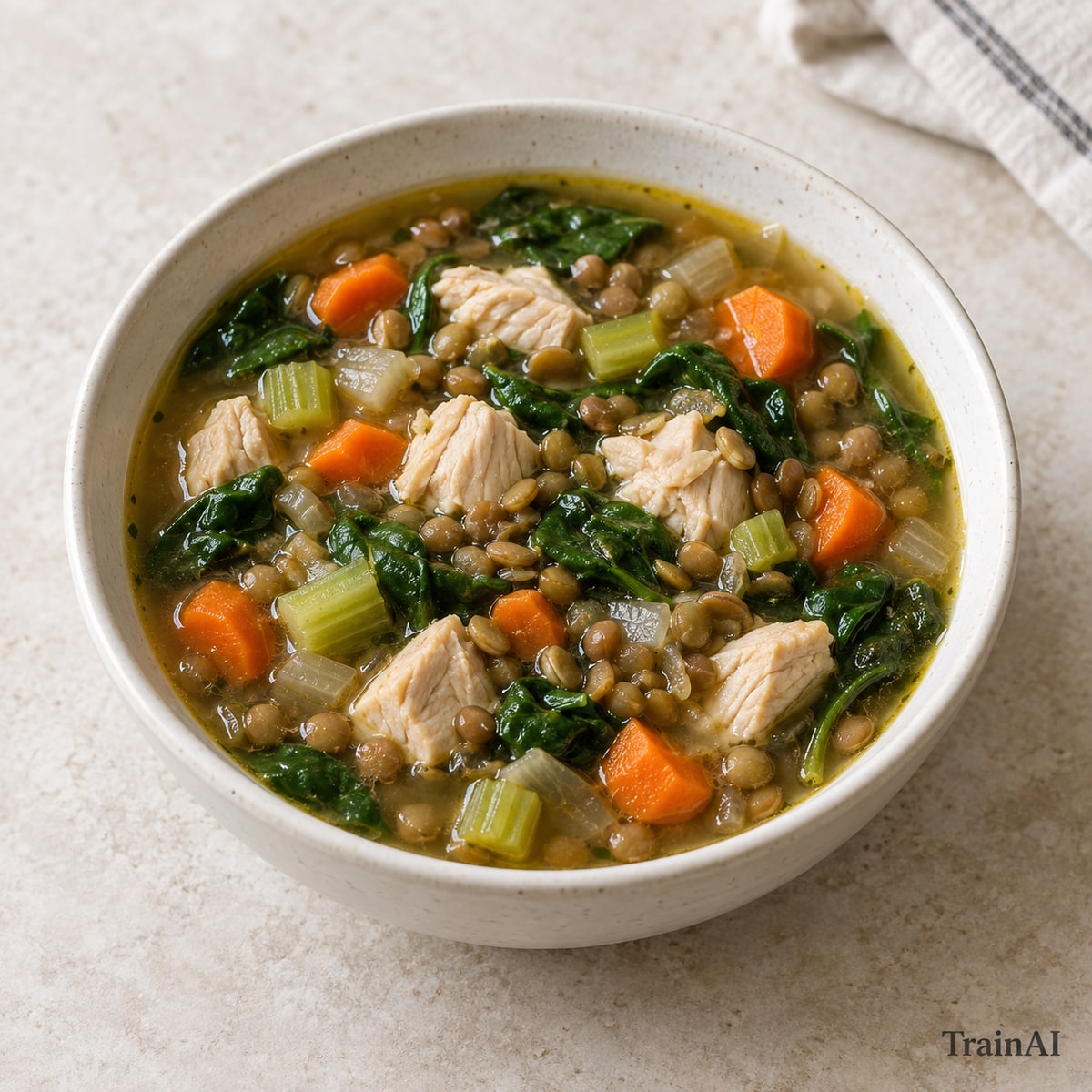
Chicken and Lentil Vegetable Soup
Cut chicken into 2 cm pieces and check the largest piece with a food thermometer.
- Prep
- 15 min
- Cook
- 25 min
- Recipe yield
- 1 serving
Estimated nutrition per serving
450 kcal46.5 g protein44.8 g carbohydrate10 g fat14.5 g fiber
Nutrition is an estimate per serving, calculated from the listed ingredient weights. Brands and cooking yield vary. Check product labels for allergens and cross-contact.
Ingredients
For the full recipe: 1 serving. Weigh grains and proteins in the raw or cooked state listed.
- 140 g skinless chicken breast, raw
- 120 g green or brown lentils, cooked and drained
- 80 g carrot
- 60 g celery
- 50 g onion
- 40 g spinach
- 350 g low-sodium vegetable broth (check allergens)
- 5 g olive oil
- 5 g garlic
Ingredient notes
Includes animal protein.
Contains: celery. Check labels and preparation surfaces; this is not a cross-contact guarantee.
How to make it
- Dice the vegetables and cut chicken into 2 cm pieces. Wash hands and clean surfaces after handling raw poultry.
- Heat oil in a saucepan; soften onion, carrot and celery for 5 minutes. Add garlic if listed for 30 seconds.
- Add broth and chicken and the cooked lentils. Simmer 15–20 minutes until vegetables are tender and chicken reaches 74°C / 165°F.
- Stir in spinach for 2 minutes.
- Divide the finished recipe into the stated number of equal servings. All listed ingredients are included in the nutrition estimate.
Storage and leftovers
Refrigerate promptly in a covered shallow container within 2 hours (1 hour above 32°C / 90°F). Keep at 4°C / 40°F or colder and use within 3 days. Reheat cooked leftovers to 74°C / 165°F. Keep fresh salad toppings separate.
Temperature guidance: FoodSafety.gov.